
The Official Label
Look for the Officially Licensed Greek Product label. It's how licensed manufacturers show a product is the real thing, and its QR code lets you check it in seconds.
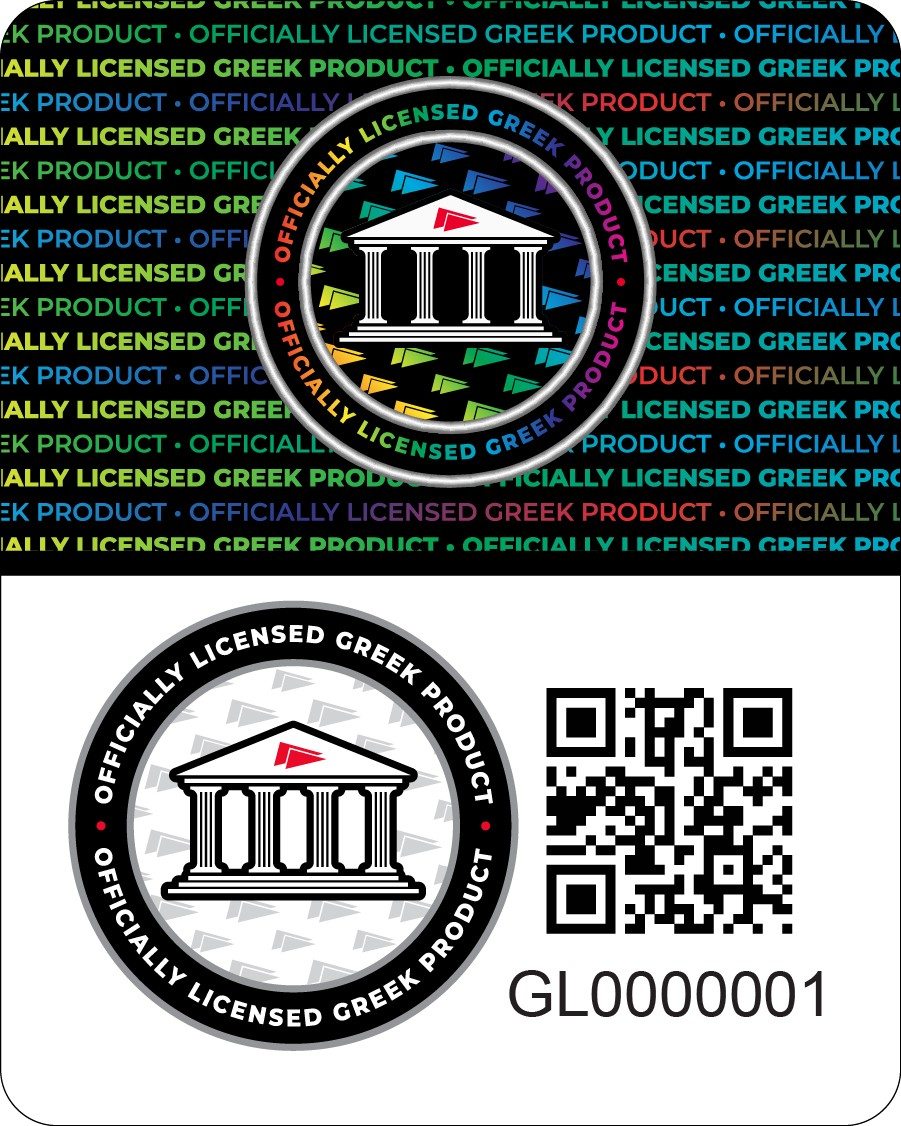
What to look for
A holographic band
The top of the label shifts color as you tilt it, with repeating “Officially Licensed Greek Product” text. Copies are often flat, dull, or blurry.
The official seal
A round seal with a columned building, circled by the words “Officially Licensed Greek Product.”
Its own QR code
Every label has a unique QR code and identification number. The QR code is how you check it.
Where to find it
On a hang tag, a sticker, a neck label, or the packaging, depending on the product.
Check a label in seconds
- Open your phone's camera and point it at the QR code on the label.
- Tap the link that appears. It opens the official verification page for that exact label.
- See the result. The page tells you whether the label is authentic.
Scanning is the best way to check: the QR code goes straight to the verification page, so there's nothing to type.
When something doesn't look right
- The label looks flat or blurry, or the band doesn't shift color.
- The scan says the label isn't authentic.
- The QR code won't scan, or doesn't open the verification page.
- The same label shows up on lots of different products.
No label at all? Check whether the seller is on your organization's licensed vendor list.